An event planner choosing a speaker is making a decision that will be judged in public, by their boss, in front of a full room. Your website has one job: make that planner confident enough to send an inquiry. It is not a biography and it is not a portfolio. It is a sales page for a person who is nervous about picking wrong. We build websites for speakers and produce conferences ourselves, so we sit on both sides of this. These are the nine things that matter.
At a glance
- Say who you help. One sentence that names the audience and the outcome, above everything else.
- Reel in the first screen. Planners watch before they read.
- Named testimonials. Another planner's full name, title, company, and a specific result.
- Follow up like a business. The form feeds a system that confirms instantly and keeps you in front of the planner.
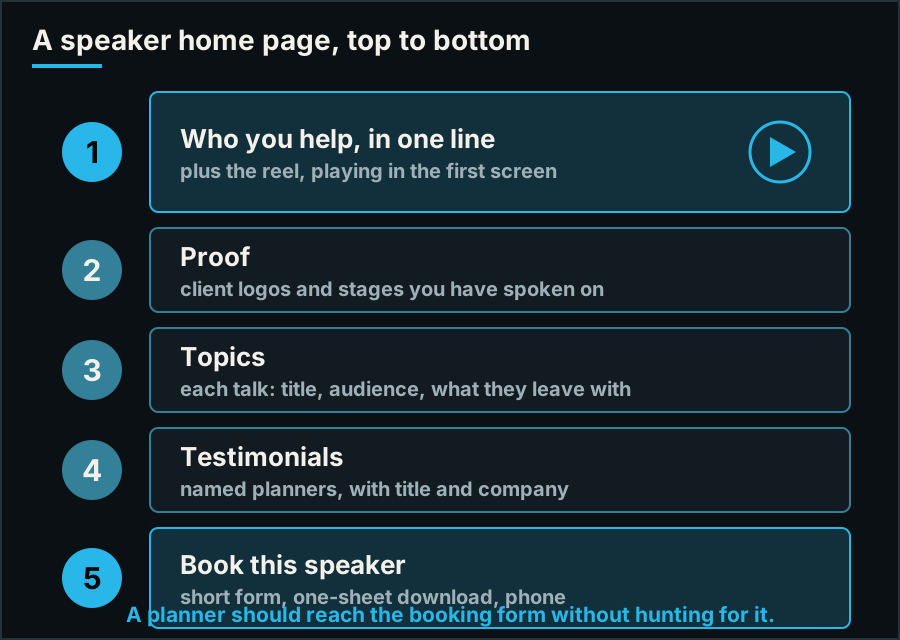
The order a planner needs things in. The first and last blocks do most of the work.
1. Say who you help in one sentence
The first screen should answer a planner's first question: is this speaker for my audience? "Helping sales teams recover after a bad quarter" does that. "Author. Speaker. Coach. Visionary." does not. Name the audience and the outcome, in plain words, above everything else.
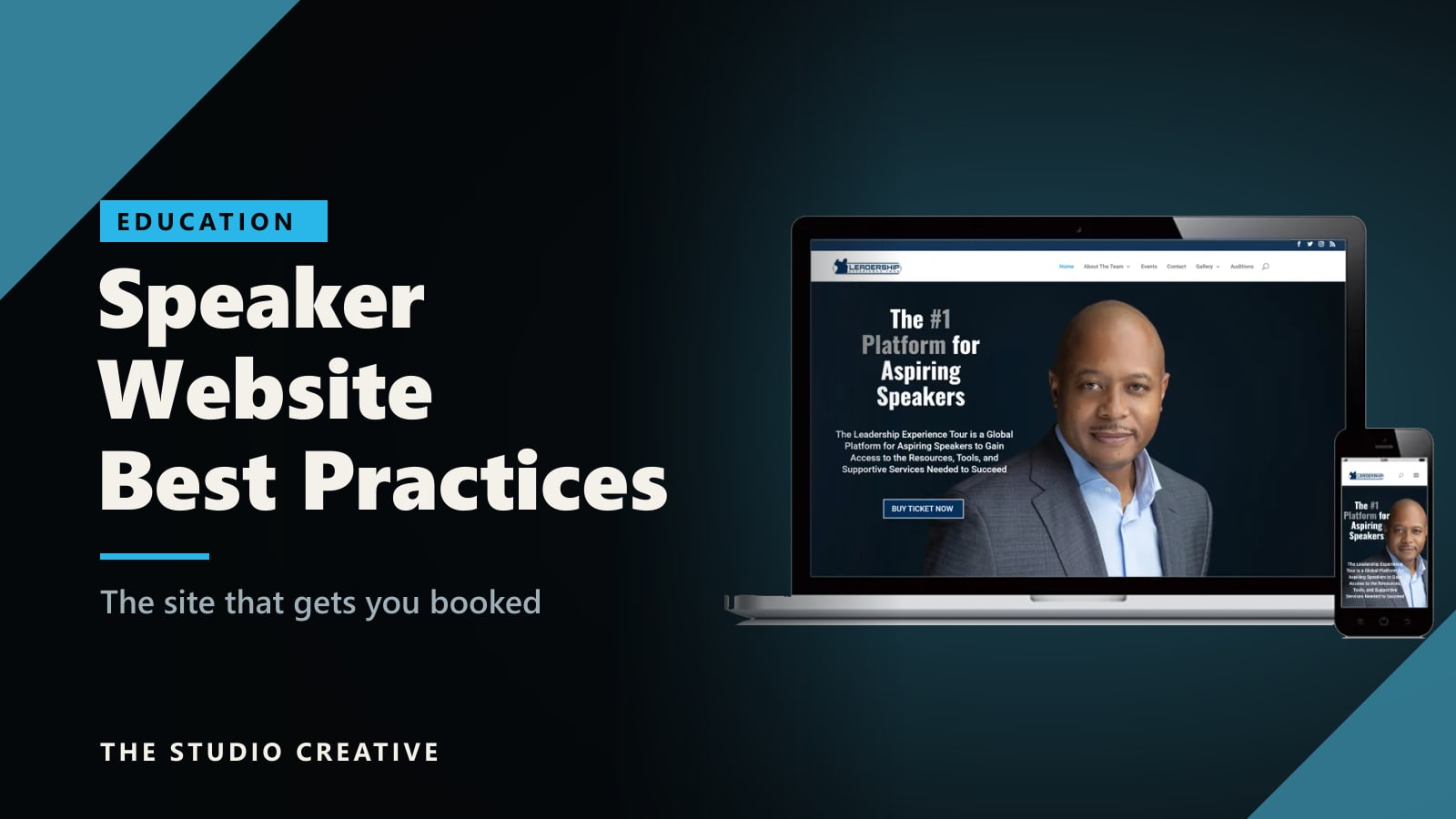
Here is the site we built for the Leadership Experience Tour. One line tells you exactly what it is and who it is for, a sentence underneath expands on it, and there is a single button.
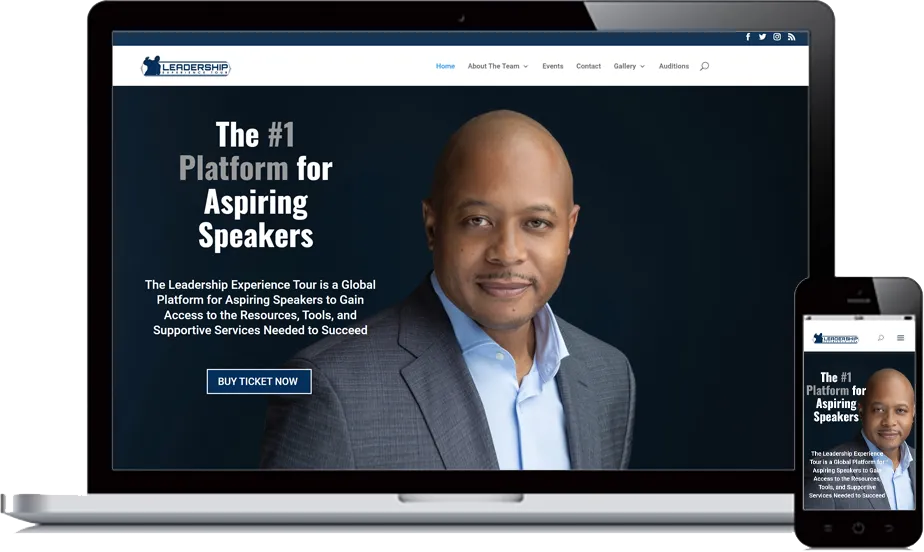
The Leadership Experience Tour site, on desktop and phone. One headline, one supporting sentence, one action.
2. Put the reel where nobody has to look for it
Planners watch before they read. Your reel belongs in the first screen of the home page, not three clicks deep on a media page. The Speaker Lab's guide to speaker demo videos describes the standard well: two to three minutes, opening on a strong moment, with several excerpts that show the audience reacting and a clear way to book at the end.
Two practical notes. Host the video so it starts quickly and does not show a wall of unrelated suggestions when it ends. And show real rooms. A planner is not only judging you. They are judging whether audiences respond to you. You can see how we cut them on our speaker reels.
3. Give every talk its own page
A list of topic titles is not enough. Each talk should have its own page with the title, who it is for, what the audience will walk away able to do, the formats you offer it in (keynote, breakout, workshop, virtual), and a short clip from that talk if you have one.
There are two reasons. Planners forward a single link to a committee, and a topic page is the right thing to forward. And a page about one subject is what search engines can rank. Nobody searches for your name until they already know you. They search for "keynote speaker on employee burnout," and only a page about that can answer.
4. Use named testimonials from the people who book
"Amazing speaker!" from an anonymous attendee is nearly worthless. What persuades a planner is another planner: a full name, a title, a company, and a specific result. The Speaker Lab's guide to speaker testimonials makes the same point: keep them to a sentence or two, attribute them fully, and favor outcomes over adjectives. A short video testimonial from an organizer is stronger still, and it can go straight into your reel.
One rule we hold ourselves to on this site as well: only real, attributable quotes. An empty testimonial section is better than an invented one.
5. Show the proof at a glance
Logos of organizations you have spoken for, photos of you on real stages in front of real audiences, and any media appearances. This sits high on the page and takes five seconds to absorb. If you are early in your career, a few good photographs from one well-filmed event do more than a wall of logos you cannot back up.
6. Offer a one-sheet and a media kit
Planners have to sell you internally. Give them the tools. A one-sheet is a single page they can download and forward. According to The Speaker Lab, it needs a headline, a professional photo, two to four signature topics, a short bio, social proof, and contact details.
A media kit page saves the planner's team hours later: high-resolution headshots, a short and a long bio, your introduction written out word for word, and your audio and video requirements. Organizers remember the speakers who were easy to work with.
7. Make booking short, obvious, and everywhere
One primary action, repeated on every page: check availability. The form should ask only for what you need to reply: name, email, organization, event date, location, and audience size. Every extra field costs you inquiries. Show a phone number and a real email address as well, because some planners will not fill in forms.
8. Follow up like a business
This is where most speakers lose bookings they had already earned. An inquiry arrives while you are on a stage or on a plane, and it gets a reply three days later. Planners are usually contacting several speakers at once, and the first good response has an advantage.
So the form should feed a system, not an inbox. An instant confirmation that includes your reel and one-sheet, a notification to whoever handles your bookings, and a follow-up sequence that keeps you in front of the planner until they decide. We wire speaker sites into a CRM for exactly this reason. It is described on our page for public speakers.
9. Build it for the phone and for speed
A planner will often first open your site on a phone, from a link a colleague sent. If the reel does not play, the text is tiny, or the page takes several seconds to appear, they move to the next name. Test your own site on your own phone, on mobile data, not on office wifi. Compress the images, keep the first screen light, and make sure every button is large enough for a thumb.
Common mistakes
- Leading with your story. Your background matters after the planner has decided you might fit. Lead with their audience, not your biography.
- A reel that is hard to find, or too long.
- Listing fifteen topics. It reads as someone who will speak about anything. Two to four signature talks reads as an expert.
- Out-of-date everything. An events page whose newest entry is two years old tells a planner you are not working. If you cannot keep a calendar current, do not publish one.
- A template that looks like every other speaker. Planners see dozens of these sites. The ones built around the speaker's own footage and photography are the ones they remember.
The short version
- One sentence that names your audience and their outcome.
- The reel in the first screen.
- A page per talk.
- Named testimonials from organizers.
- Logos and real stage photos.
- A one-sheet and a media kit.
- A short booking form on every page, with a phone number.
- Automatic follow-up.
- Fast, and built for a phone.
If the reel is the piece you are missing, start there: our guide to looking and sounding good on camera will help you prepare for the shoot, and repurposing one shoot explains how a single filmed talk becomes the reel, the clips, and the content for the site.
Want a second opinion on your website?
If you are a speaker and would like an honest review of your current site from people who also produce conferences, send us the link. We design, build, host, and maintain custom websites from Grand Blanc, Michigan, and we film the video and photography that goes on them, so the site and its content are planned together. Tell us about your project and you will get a real reply from the person who would build it. See how we work on our web design and development page.