Video production companies stay organized by running every job through two connected systems. A CRM tracks each inquiry from the first message to a paid deposit, so no lead waits and nothing falls through between the call and the proposal. Once the job is won, a production management tool carries the shoot from script to final cut in one place: the script broken down by scene, a shot list with setup times, a shooting schedule, call sheets the crew confirm, a budget tracked against actual spend, and a review link where the client comments on the exact frame. Everyone works from the same plan, so problems surface days before the shoot instead of on set.
That matters because creative work slips easily. In a 2025 PMI survey of marketing and creative professionals, 55% had gone over budget and 54% had missed a deadline in the past year, and nine in ten said great creative depends on great project management. Below is how we run one shoot, start to finish, with real screens from Studio Projects, the production app we built and plan our own work in.
At a glance
- Two systems, one handoff. CRM Connect books the shoot. Studio Projects runs it, and a won deal opens the project from a template.
- Pre-production in one place. Script, shot list, schedule, cast, crew, locations and budget are tabs of the same project.
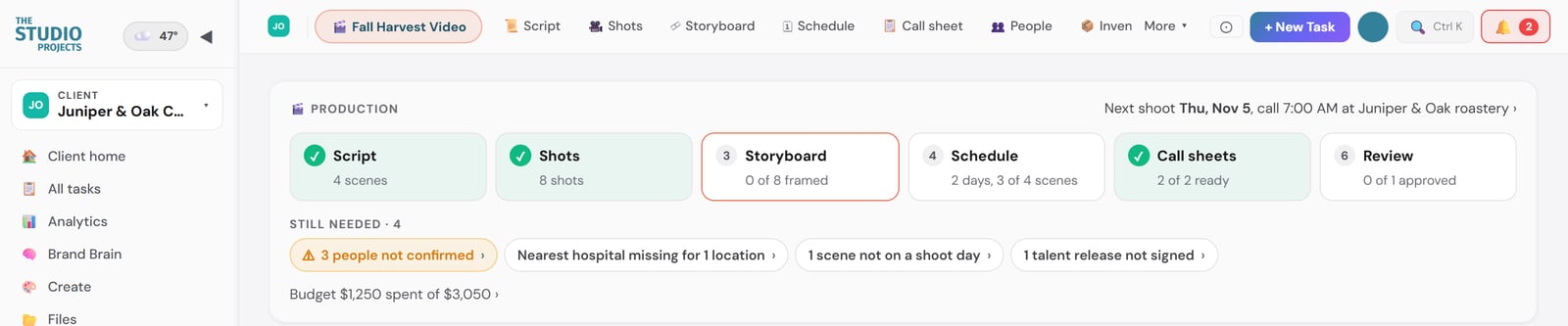
- Gaps show up early. The project home lists what is still missing, from an unsigned release to a scene with no shoot day.
- Clients approve without the email chain. They comment on the exact moment of the cut and approve from a link, with no login.
The six stages of an organized video production
- Inquiry. The request arrives sorted, reaches a person fast and is tracked in the CRM.
- Booked. The deposit is paid and the project opens from a template.
- Pre-production. Script, shot list, cast, crew and locations come together.
- Schedule and budget. Shoot days are built from the scenes, and costs are tracked against the estimate.
- Shoot day. Everyone works from a call sheet they have confirmed.
- Post and review. Each version of the video moves stage by stage until the client approves it.
Stage 1: from inquiry to booked shoot
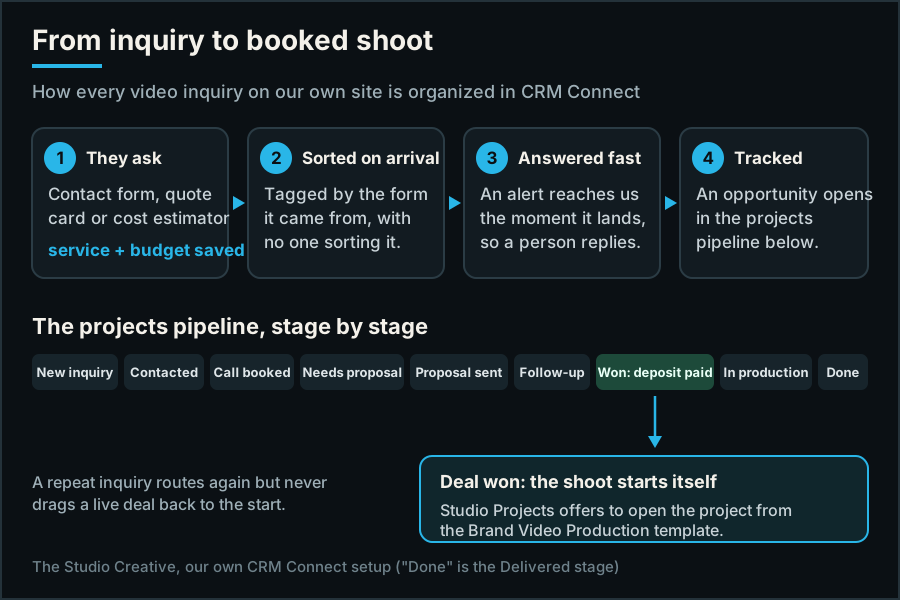
A shoot is lost before it starts when the inquiry sits in an inbox. On our own site, every video inquiry lands in CRM Connect already tagged with the form it came from and the service they asked about, plus their budget where the form asks for it. An alert reaches us the moment it lands, and an opportunity opens in our projects pipeline. Each stage, from Call booked to Proposal sent to Won: deposit paid, is a column, so a quote waiting on a follow-up is in plain sight instead of forgotten.
Keeping that record clean pays. In Validity's 2025 research, 37% of CRM users said poor data costs them revenue.
Stage 2: the deal is won, and the project starts itself
The handoff from sales to production is where booked work stalls. In Studio Projects, when a quote is accepted, a bid is signed or a deal is marked won in the CRM, a card offers to start the project from a template. Ours is Brand Video Production, so the job opens with its tabs in the order a shoot happens: Script, Shots, Storyboard, Schedule, Call sheet, People, Review and Budget.
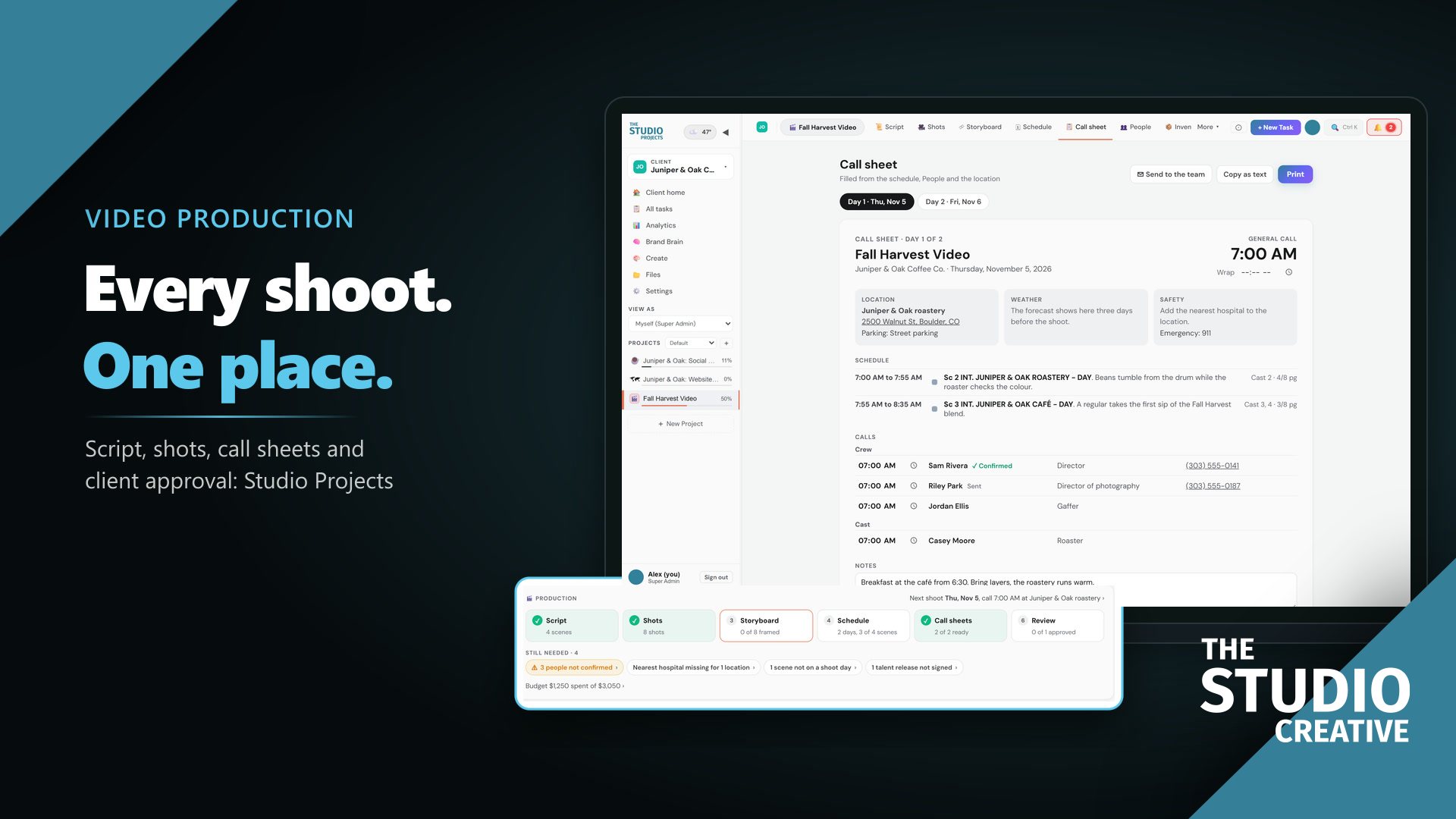
The project home then answers the question every producer asks: what is still missing?
Stage 3: pre-production in one place
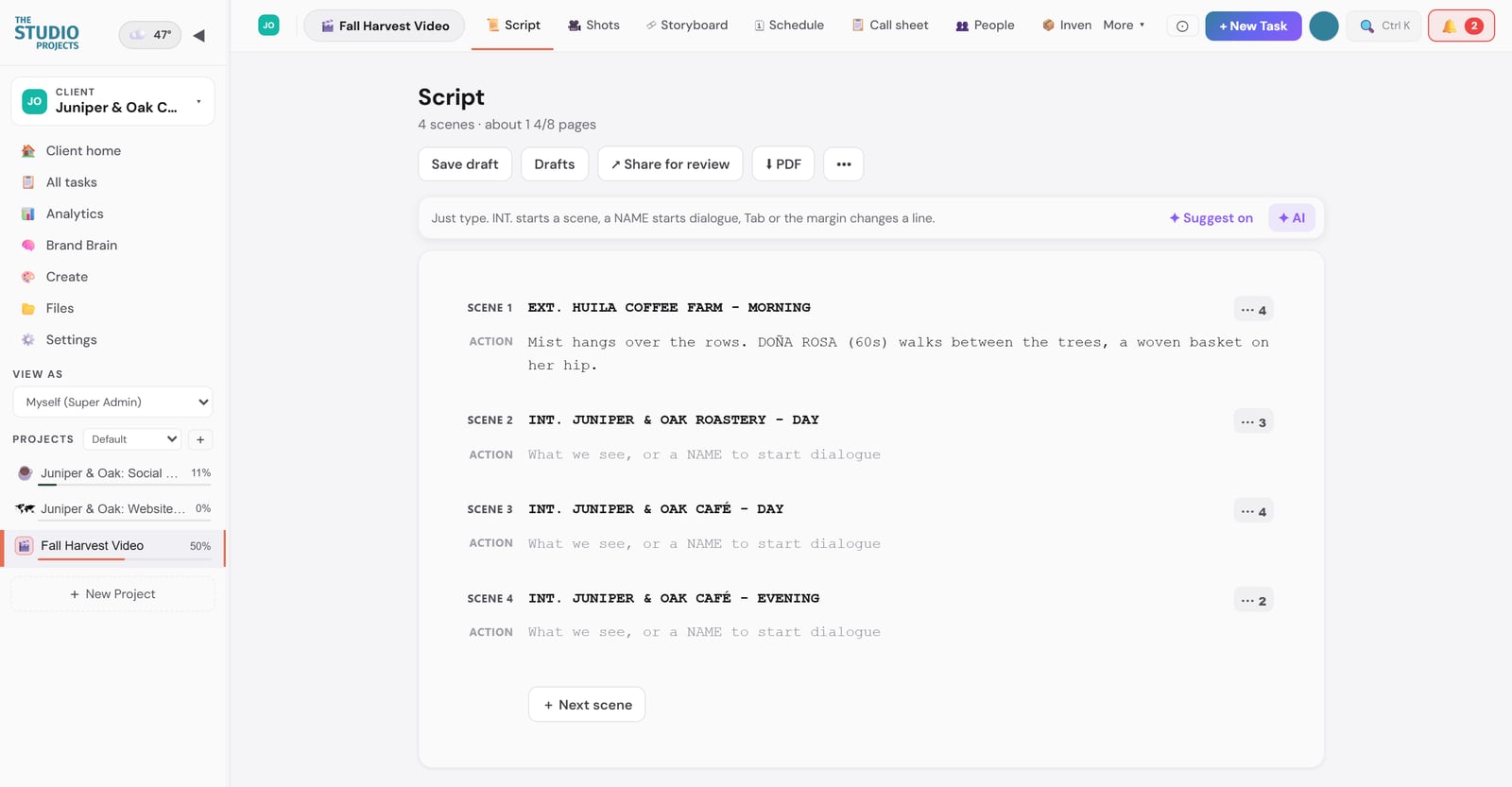
The script is written right in the app in screenplay format, broken into scenes and tagged for the cast, props and wardrobe each scene needs. It exports to PDF or goes out for review as a link.
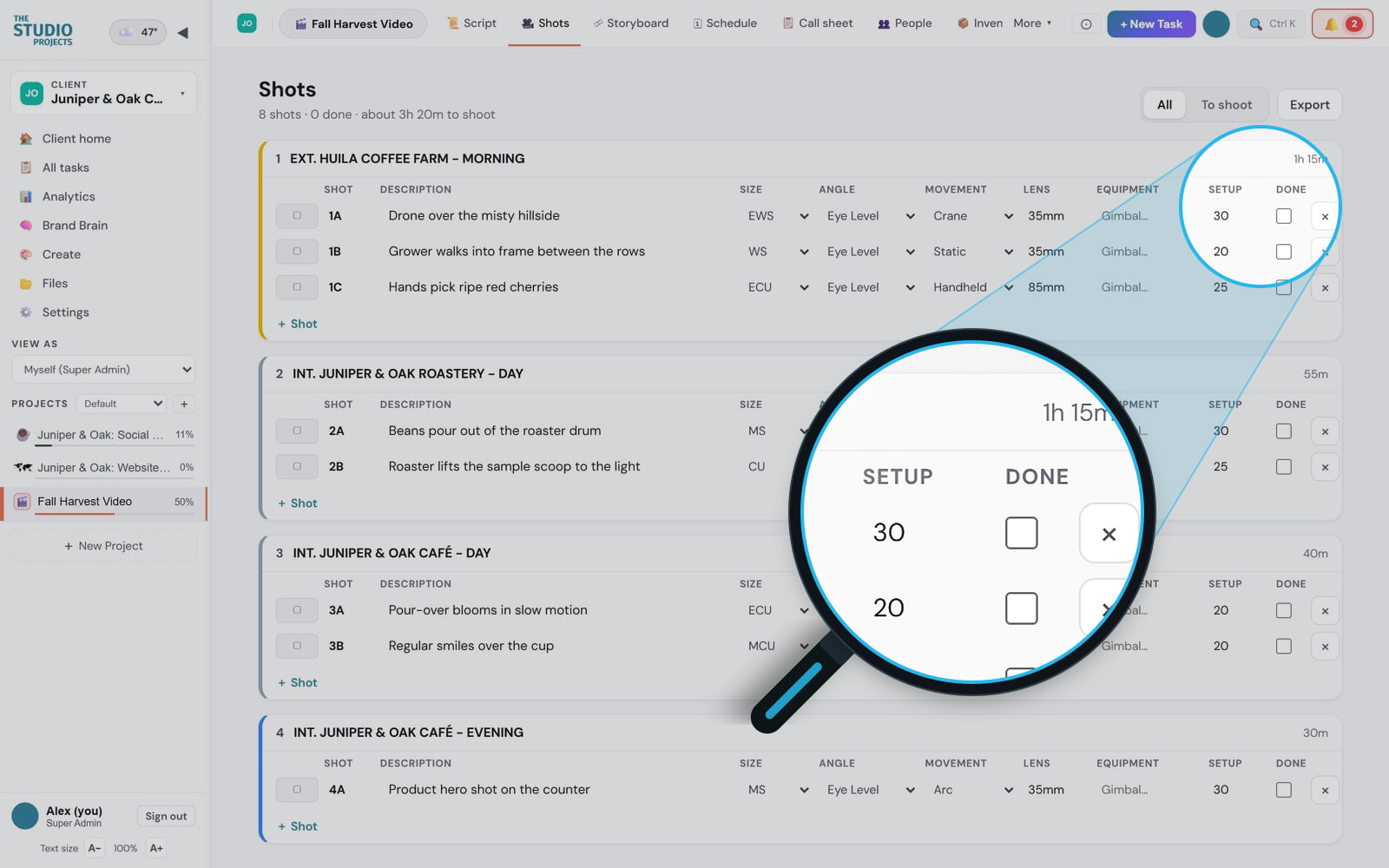
Each scene becomes shots, with the size, angle, movement, lens, equipment and the minutes each setup takes. Setup time is what turns a script into a realistic day. The list exports to a spreadsheet for the crew.
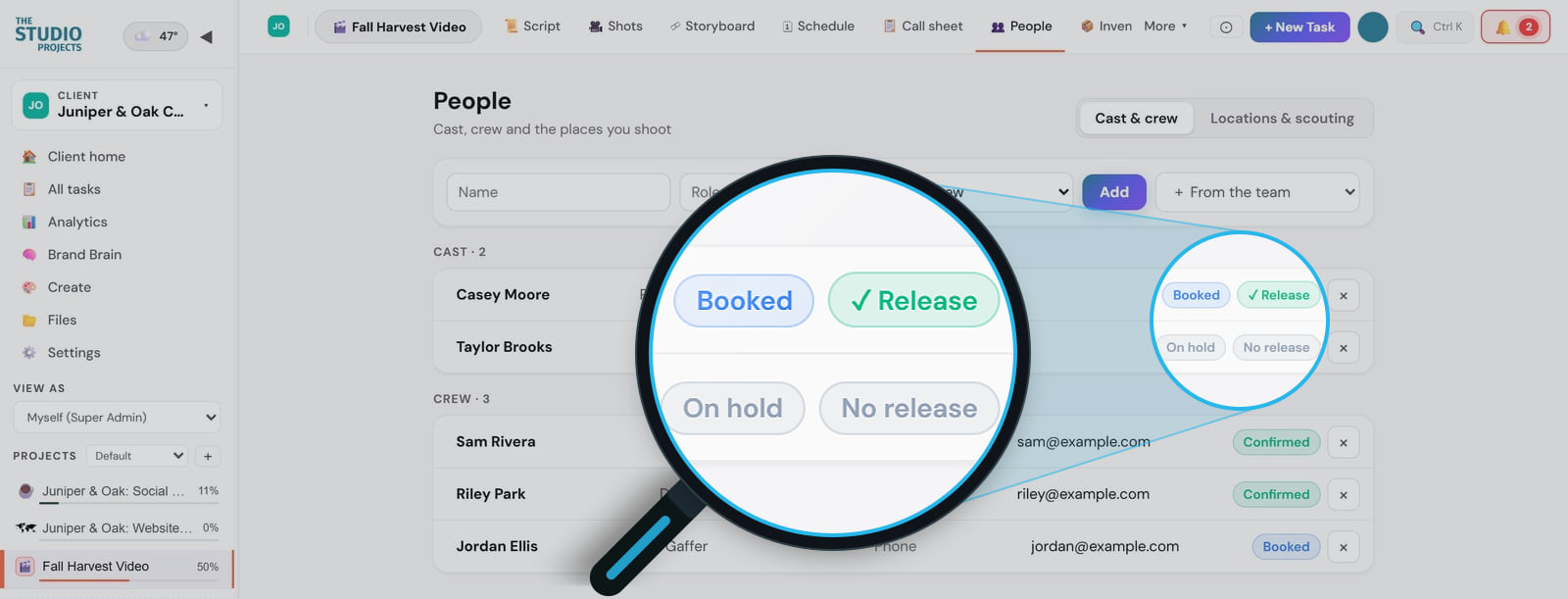
People keeps cast, crew and locations together. Every performer shows whether they are booked or on hold and whether their release is signed, every crew member whether they have confirmed, and every location its permit status.
Stage 4: the schedule and the budget
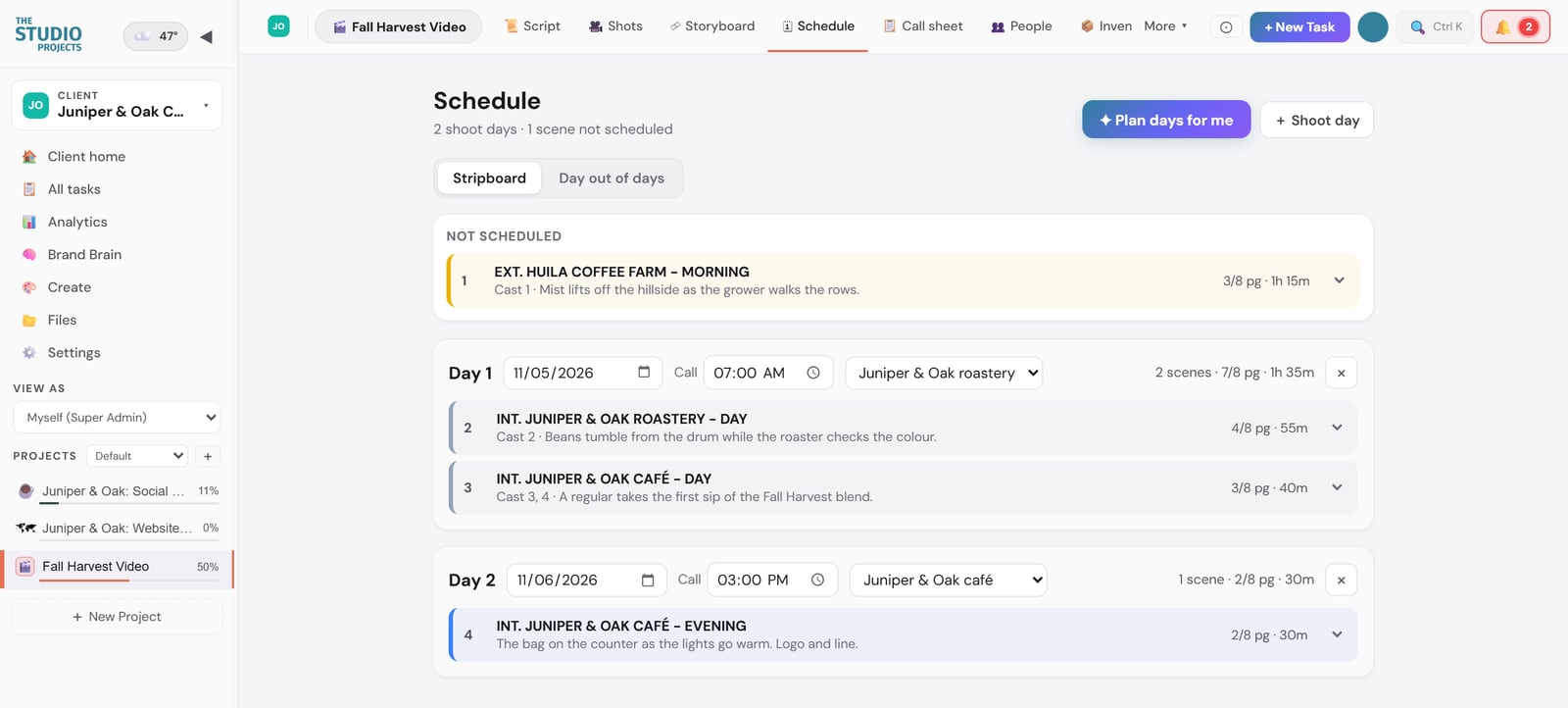
The stripboard builds the shoot days from the scenes, with call times and locations, and any scene not yet on a day waits at the top where nobody can miss it. A Day out of days grid then shows which days each performer works, so talent is booked only for the days you need them.
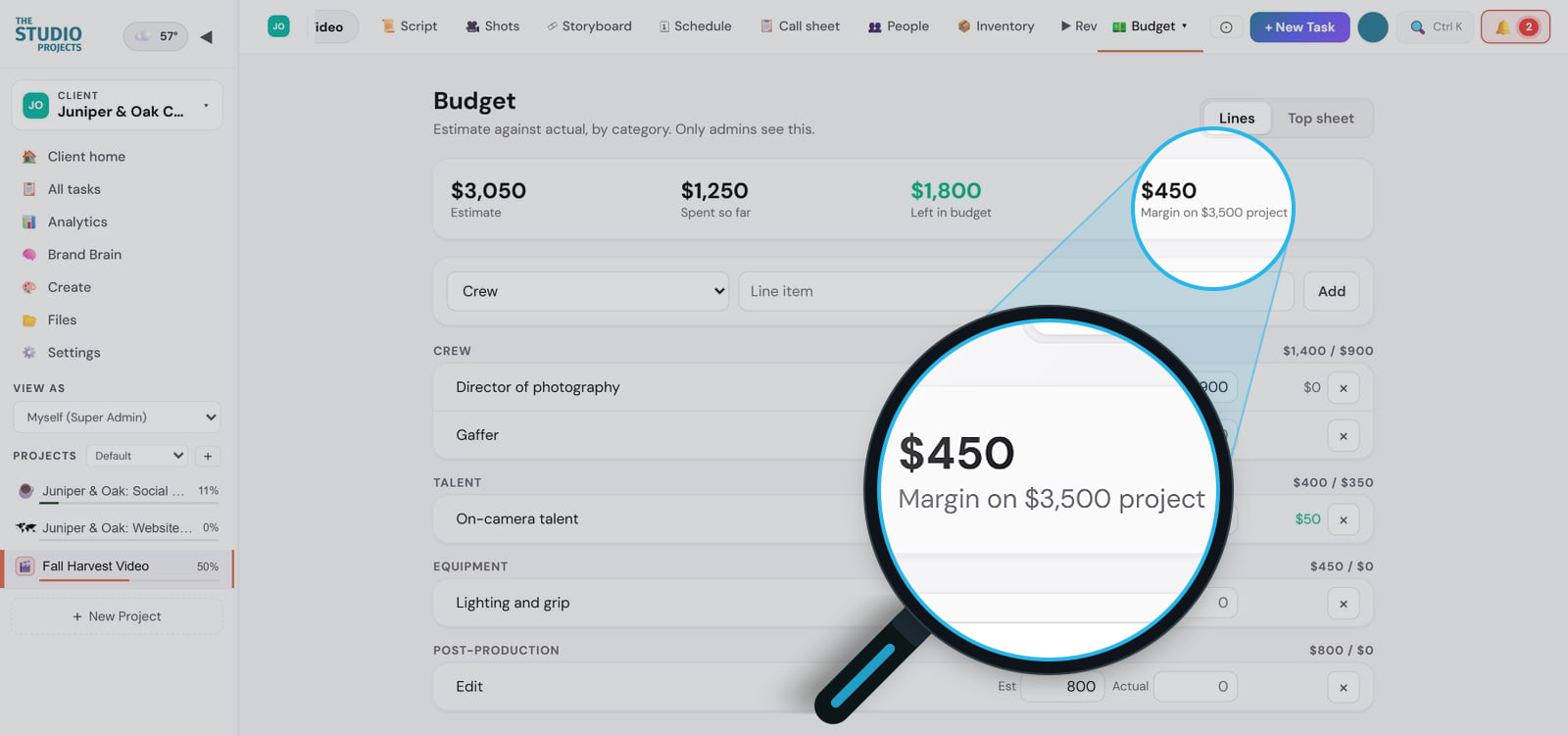
The budget tracks every line against its estimate, by category, so you know halfway through whether the job is still making money. Only admins see it.
Stage 5: a call sheet everyone has confirmed
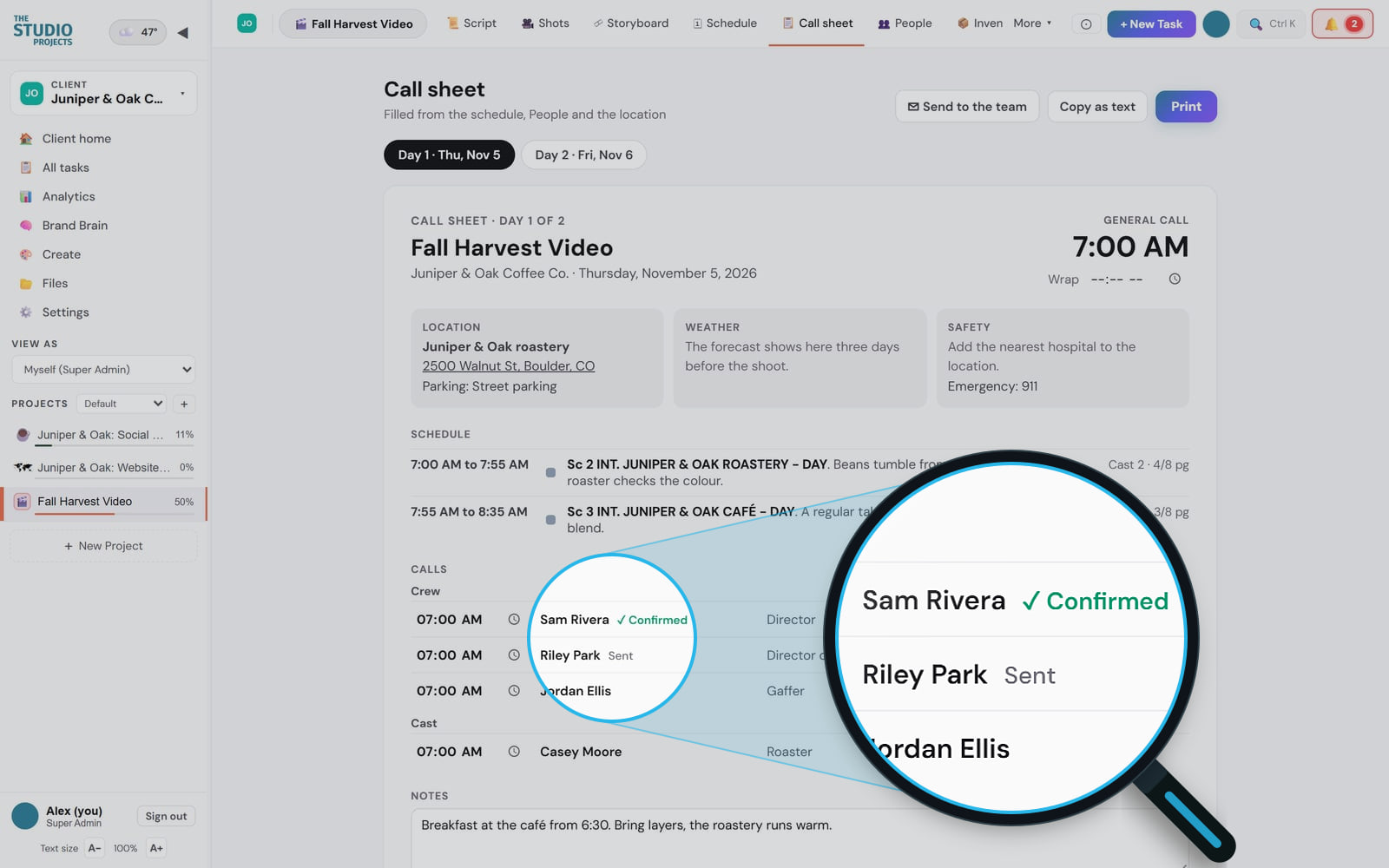
The call sheet fills itself in from the schedule, the people and the location: the general call, the address with parking, the weather, the nearest hospital, the schedule by scene, each person's call time and the notes. It goes to the team by email with a Confirm button, so the night before you know who has read it.
Stage 6: post-production and client review
After the shoot, each version of the video moves across a board, from Pre-production through Filming, Editing, Internal review and Client review to Delivered. A client ordering a main film and three social versions can see where every one of them stands.
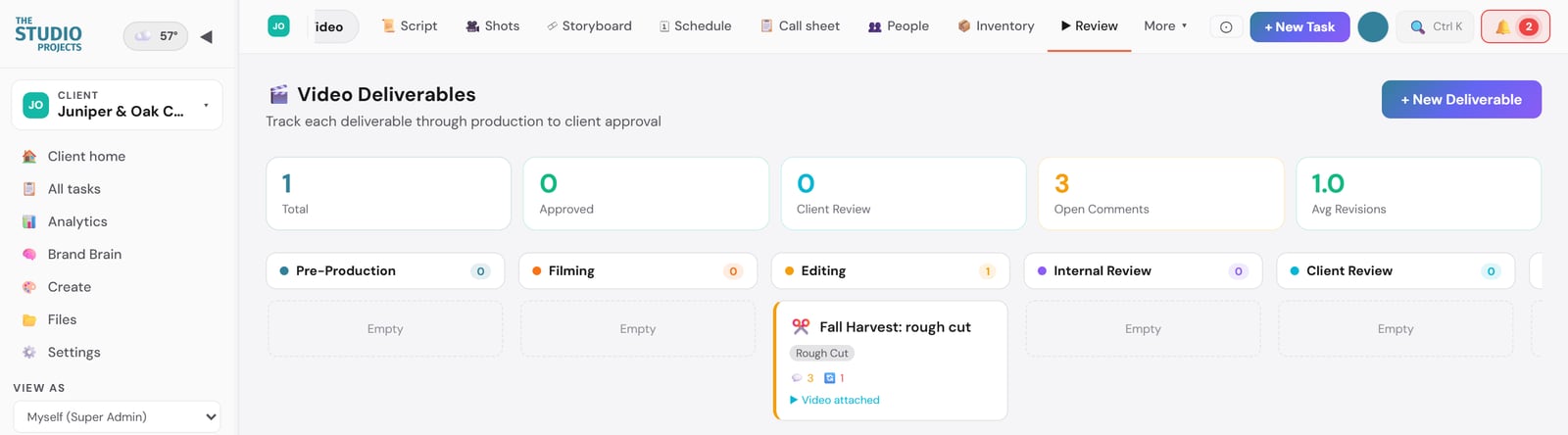
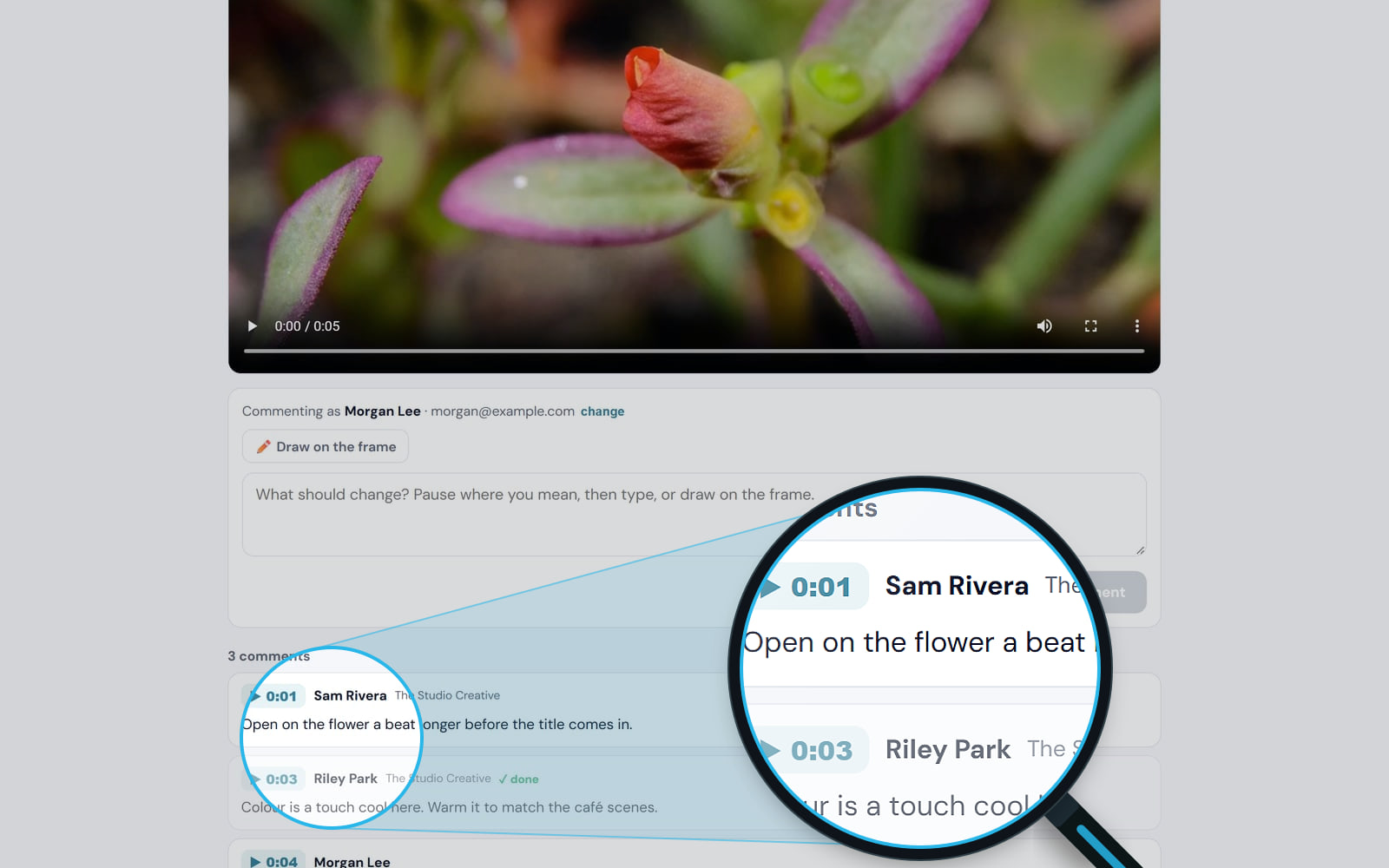
When a cut is ready, the client gets a review link with no login. They pause, comment on the exact moment or draw on the frame, and press Approve video when it is right. Nobody has to guess what "the part near the end" means.
Across every shoot
Run more than one production at a time and the app keeps them apart. The Due Date Dashboard puts every deadline for every client on one calendar, a reminder email each morning lists what is overdue, due today and due tomorrow, and My Work gives each person one list of what is waiting on them.
What changes when a shoot is organized
- No inquiry waits. Every request is sorted on arrival and tracked to a decision, so a lead does not go cold between the call and the proposal.
- Shoot days run to plan. Unsigned releases, unconfirmed crew and unscheduled scenes show up as a checklist days ahead, not as a phone call on the morning of the shoot.
- Less time hunting. The script, shot list, schedule and call sheet are tabs of one project, not four files in four places.
- Everyone arrives knowing the plan. Cast and crew confirm the same call sheet.
- Faster sign-off. Clients comment on the frame and approve from a link.
- Jobs stay profitable. Spend is tracked against the estimate while there is still time to act on it.
We plan our own productions this way, including the comedy series we produce with Hot Cheap Comedy, which has picked up 33 festival laurels and 5 wins. Made in collaboration with Hot Cheap Comedy, who write the scripts. The Studio Creative handles everything else: production, directing, cinematography, editing, and post. The system we plan them in is the same one we offer you.
Get Studio Projects
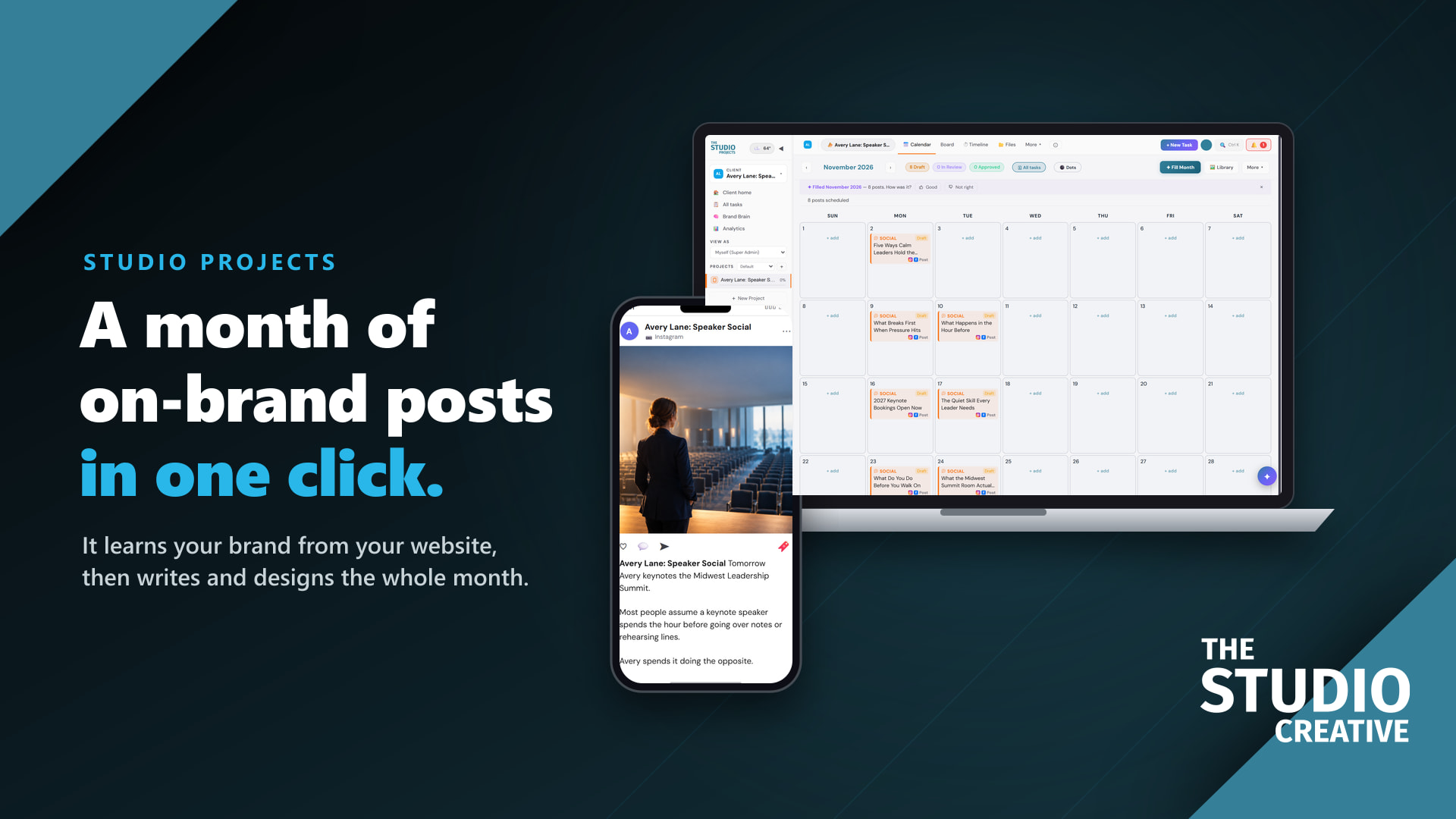
Studio Projects is open by invitation while we onboard our first members. Plans start at $29 a month for one business running its own work, $79 for a busy studio or a freelancer with a few clients, and $199 for agencies managing many brands, each with two months free when paid yearly. If social content is part of your work too, it also fills a month of on-brand posts in one click; see that side of the app here.
Want the inquiry side set up for you? We build and run CRM Connect for clients the same way we run it for ourselves, from the forms and tags to the pipelines and follow-up.
Questions people ask
What software do video production companies use to stay organized?
Most use a CRM for inquiries and proposals, then a production tool for the script, shot list, schedule, call sheets and budget, and often a separate tool for client review. Studio Projects keeps the production and review steps in one project, and it can start that project when a deal is marked won in the CRM.
What goes on a call sheet?
The general call time, the location with parking, the weather, the nearest hospital, the schedule by scene, each cast and crew member's call time, and any notes for the day. Send it the day before and ask everyone to confirm.
How do you organize a shot list?
Group shots by scene, give each one its size, angle, movement, lens and equipment, and add how long the setup takes. Setup time is what lets you plan the day realistically, and grouping shots that share a setup saves the most time on set.
What is a day out of days?
A grid of every performer against every shoot day, showing the days each person starts, works, finishes or is on hold. It is how you book talent only for the days you need them.
How should clients review a video?
With a link that plays the cut and lets them comment on the exact moment, rather than a list of timecodes in an email. In Studio Projects the client needs no login, can draw on the frame, and approves the video with one button.
Can I try Studio Projects before I join?
Yes. The sign-in page has a demo with a made-up coffee brand, no account needed. Access to a real workspace is by invitation while we onboard our first members.