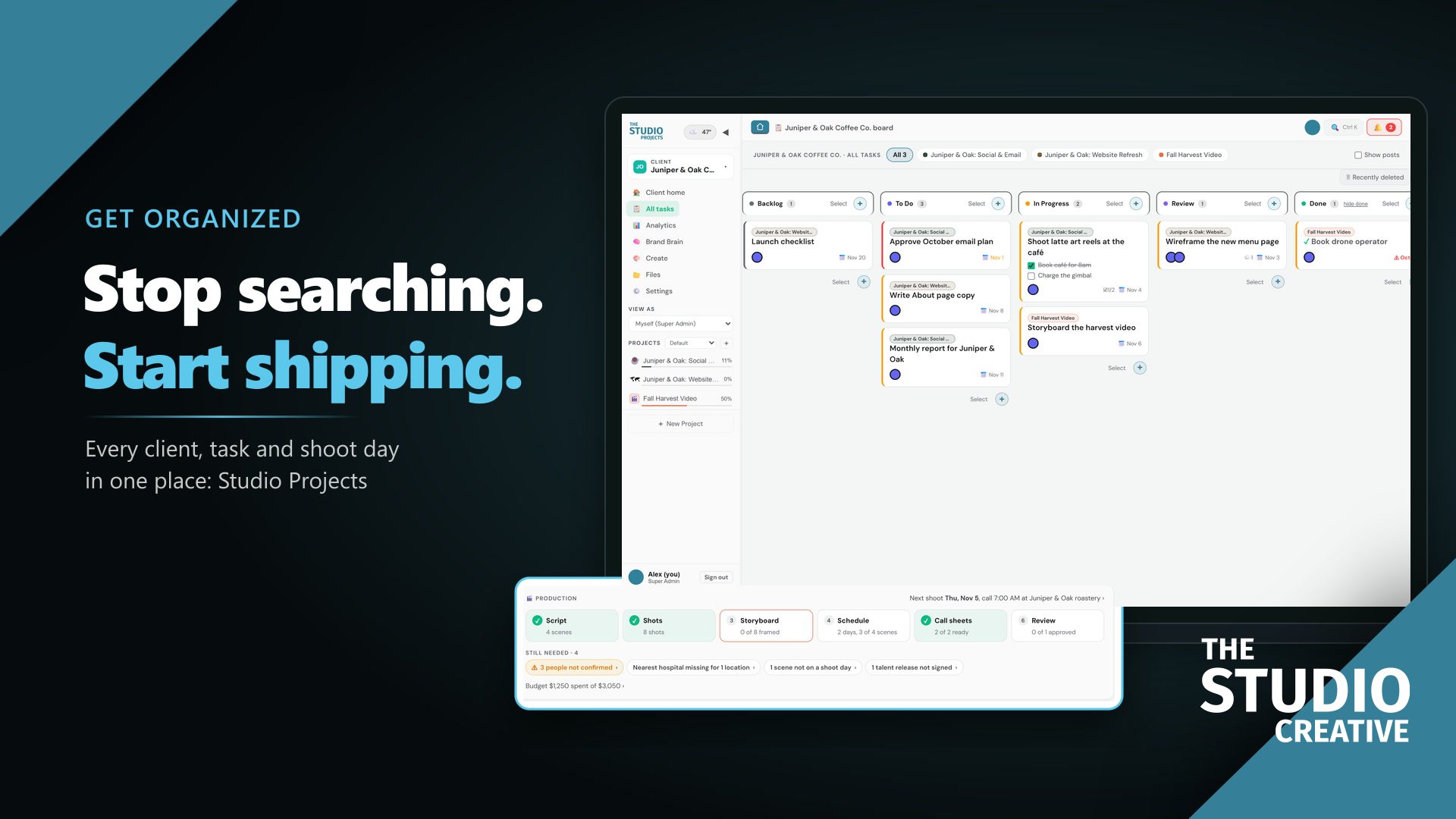
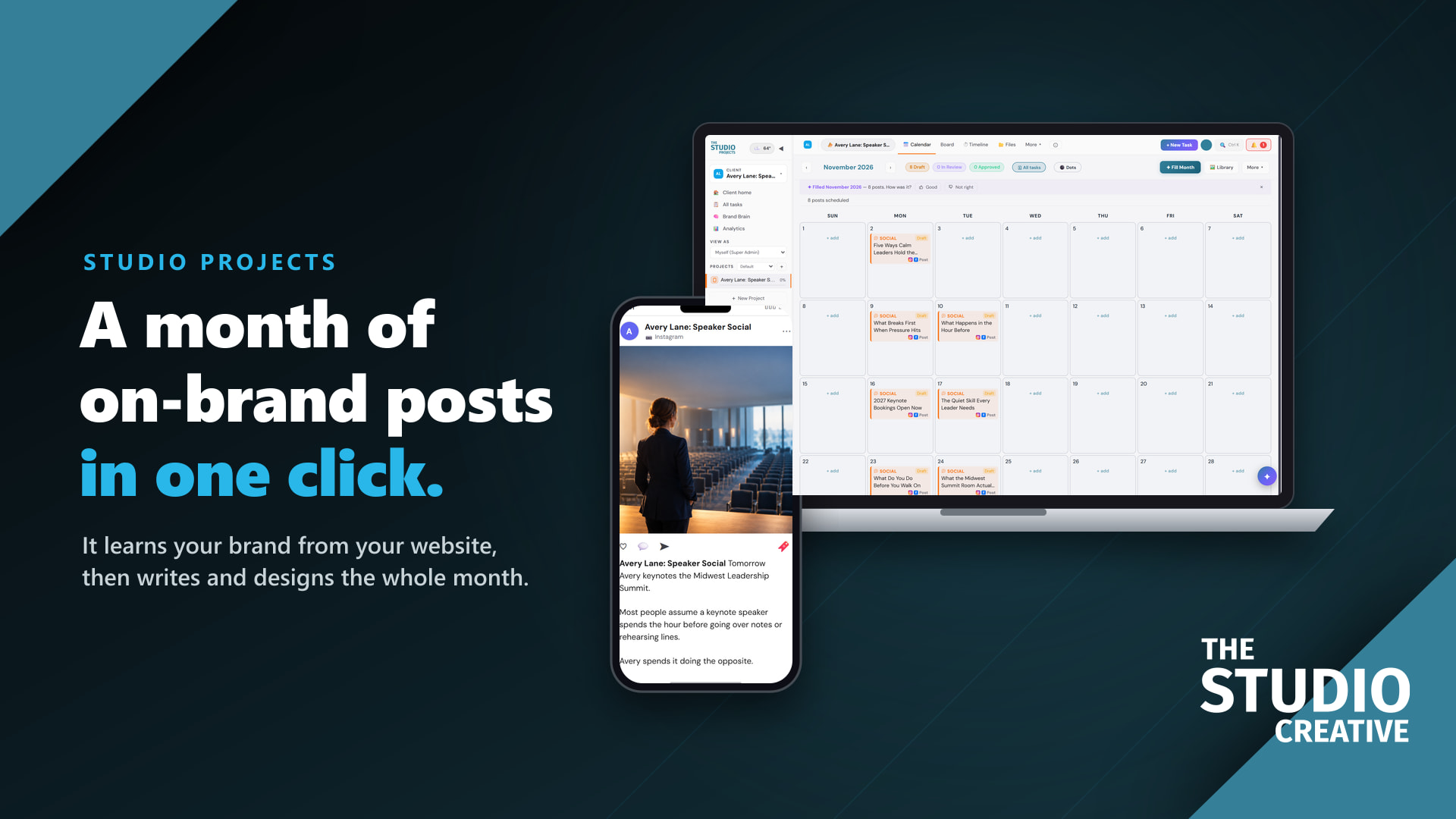
You do not run out of things to say. You run out of time to say them. Studio Projects reads your website once, learns how your brand looks and sounds, and fills a month of posts with one click: written, designed and waiting for your OK.
At a glance
- It learns your brand from your website in about a minute.
- One click fills the month with posts, pictures and emails.
- It gets sharper every month from your edits and your results.
- From $29 a month. See the plans.
Watch it learn a brand from its website
Paste a website and it comes back with the brand as it understands it: what you do and who for, how you sound, your colors and fonts, what you sell, what to post about and the facts worth repeating. Then it designs your first posts in that look.
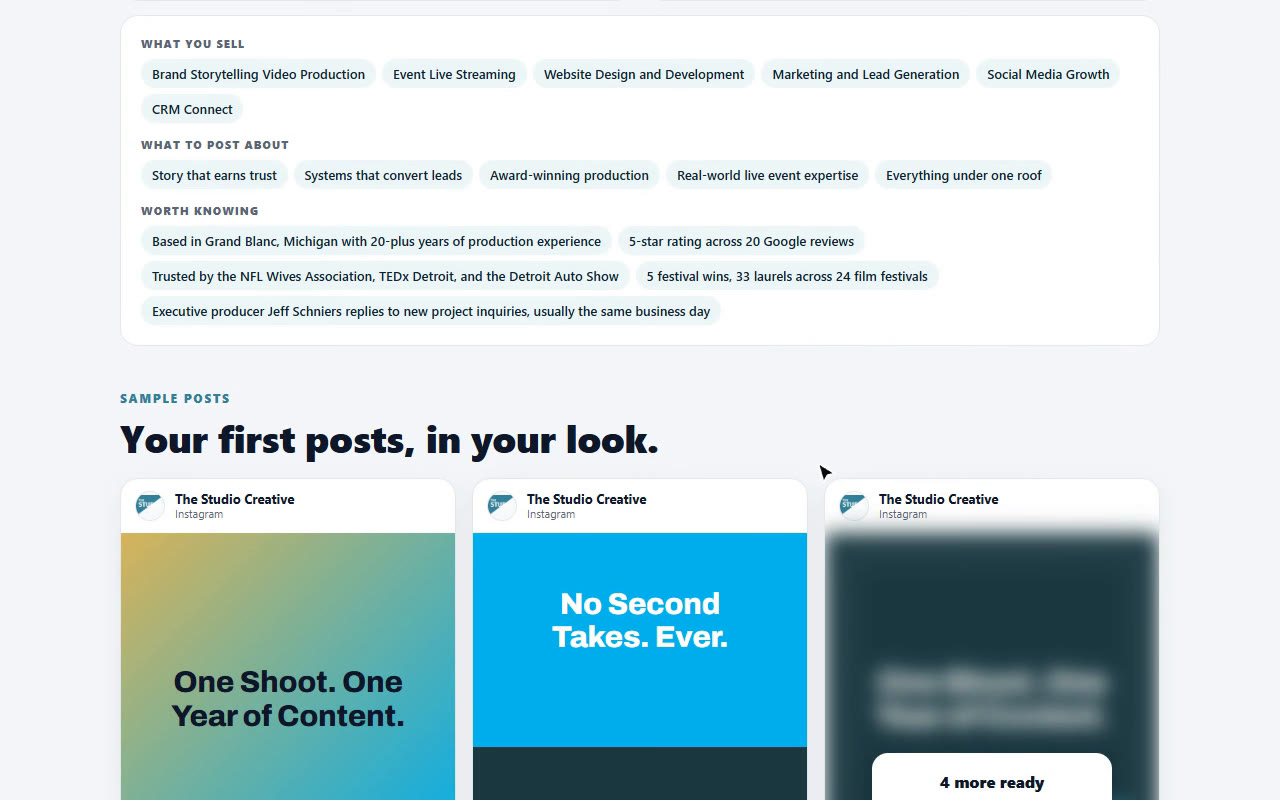
That reading becomes the Brand Brain, and it goes further than a website: product pages and prices, documents you upload, your best sellers ranked from real paid orders, competitors and industry research. Every caption, email and picture is written from it.
One click fills the month
Press Fill Month, pick the days, choose social, email or both, and add a line about what is coming up if you like. The app plans and writes the whole month around what you sell. Press Make it all for me and it picks the topics and makes a picture for every post too.
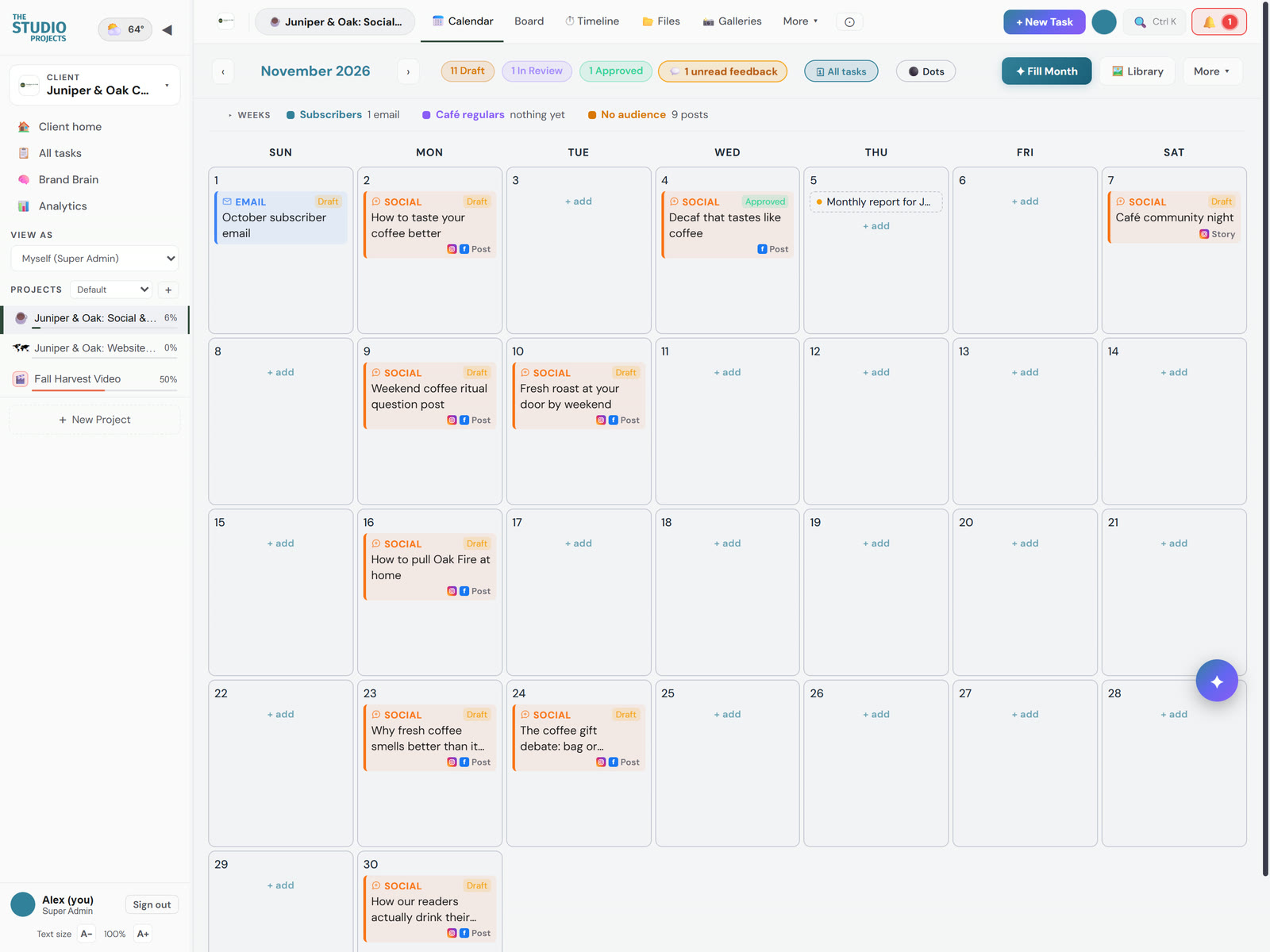
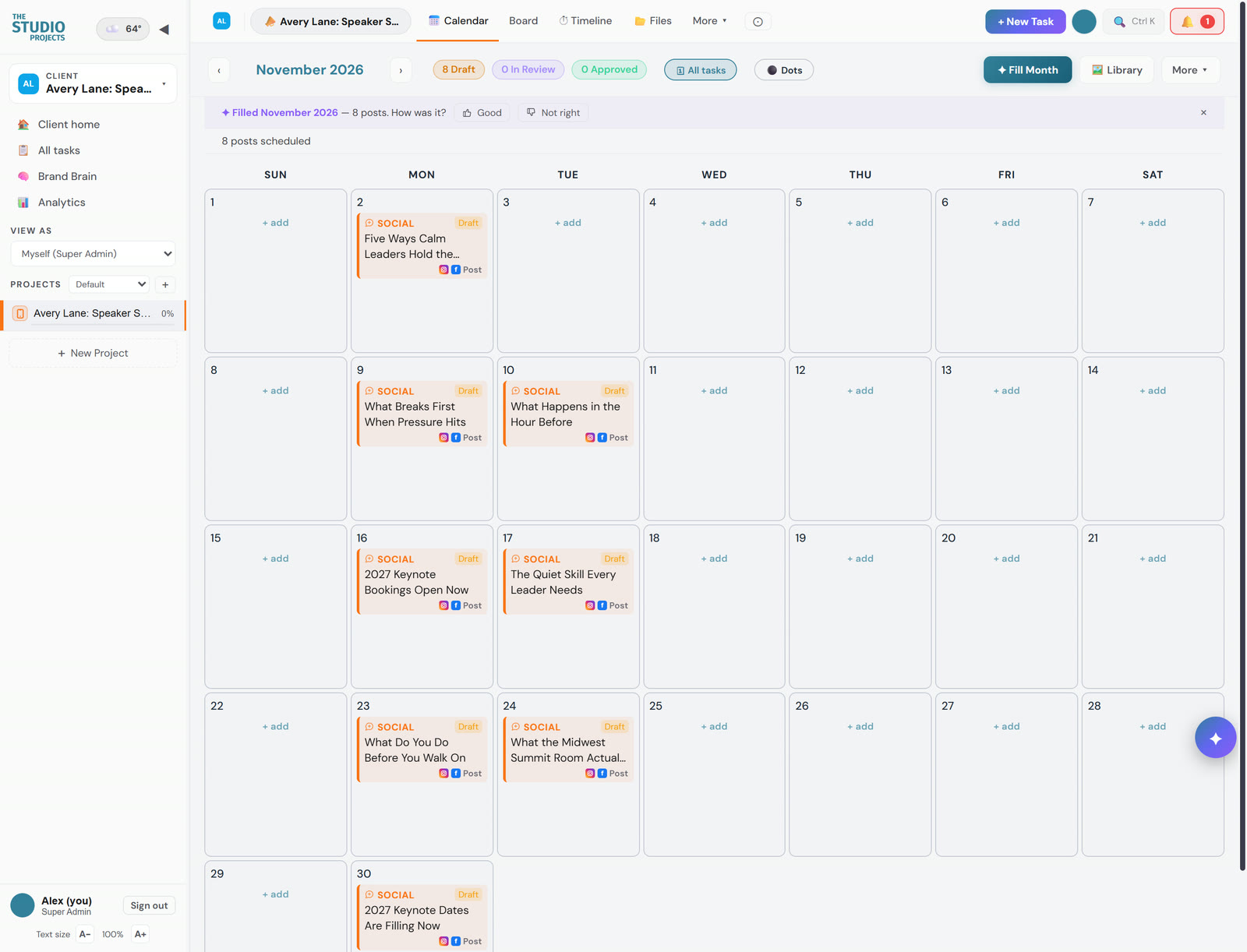
Same button, two very different brands, both made up for the demo: a coffee roaster and a keynote speaker. Each month sounds like its own brand because each one has its own Brand Brain.
- No repeated hooks. Every post sees the posts around its date, so the month never says the same thing twice in a week.
- Built around your goals. Pick the goals and audiences for the month and the posts pull toward them, with emails on the same calendar.
- A second read before you see it. Review month reads the whole month back and flags problems, and house rules clean every caption: no more than three hashtags, real bullets, no link as the first line.
- First comments too. Written from each caption, ready to post under it.
A month of content in one sitting
Here is what the routine looks like once your Brand Brain is set up. Most of it is reading and saying yes.
- Tell it what is coming up. A launch, a sale, an event, a slow week. One sentence is enough, and you can leave it empty and let the app decide.
- Press Fill Month. It plans the topics, writes every caption and first comment, and makes the pictures if you ask it to.
- Read it like an editor, not a writer. Open any post and ask for a change in plain words: shorter, warmer, mention the sale. Only the part you asked about changes.
- Send the month for approval in one tap. Your client, your boss or your partner gets one summary email and approves from a link.
- Approved posts go out on their own. They are scheduled to your accounts, and a daily check confirms each one really posted.
- Next month starts ahead. Autopilot drafts it for you, and this month's results have already taught the Brand Brain what worked.
Made to be easy, even if you hate marketing
Most marketing software assumes you have a marketing team. Studio Projects assumes you have a business to run, so the simple path is the default and every extra option stays out of the way until you want it.
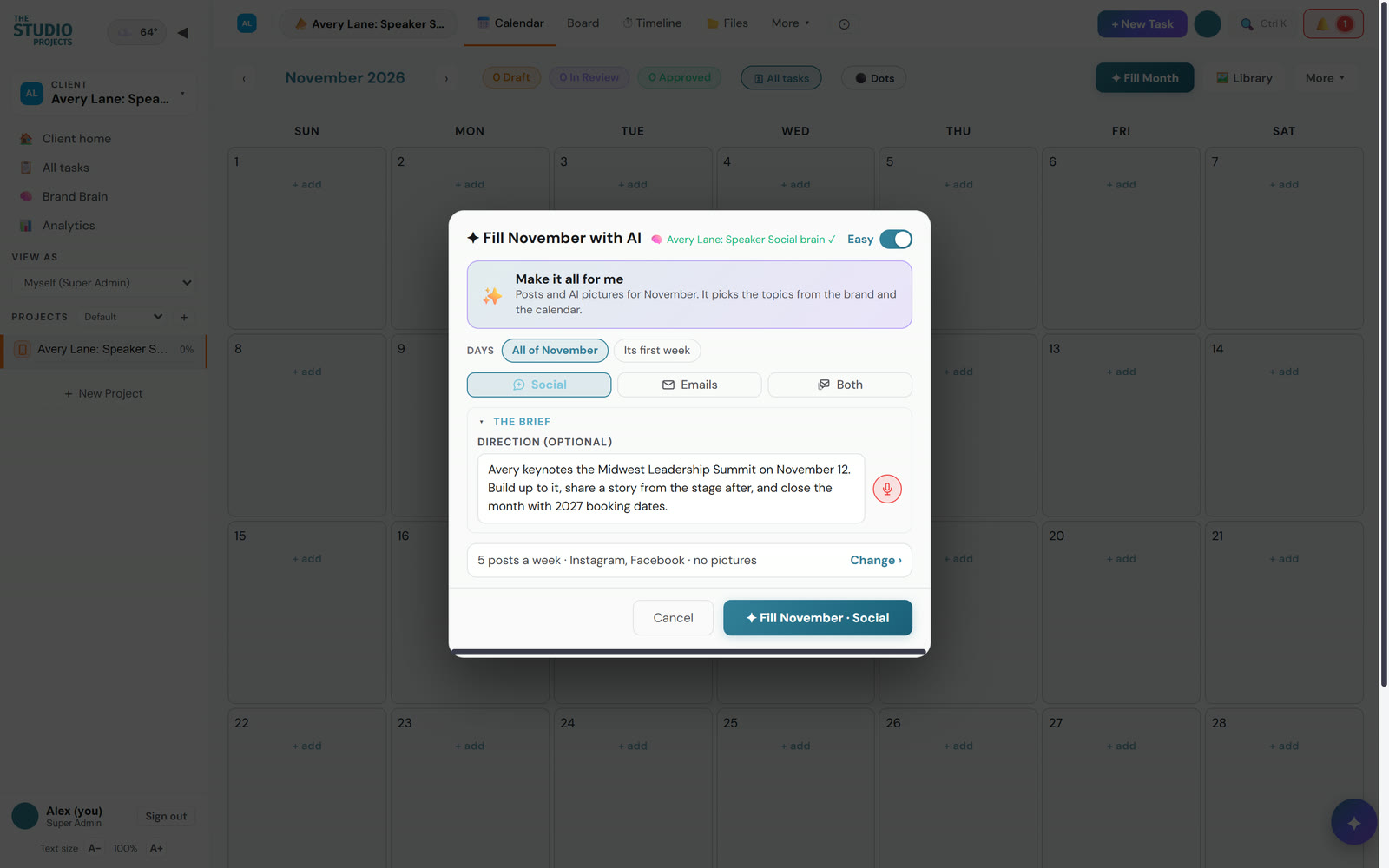
- Set up in four short steps. It asks what you are here to do first, then walks you through four steps and ticks each one off only when it is really done.
- One chat makes a post. Press Make it, or say what the post is about, and it writes the caption and first comment and makes the picture. Then keep talking to change it, like texting a designer.
- Talk instead of typing. Briefs, notes and what the Brand Brain should remember can all be said out loud.
- It catches mistakes before they post. Sending for approval first checks for a missing account, picture or caption, a link Instagram will not make clickable, a date in the past, and anything an AI read-through spots, each with a one-tap fix.
- The best time to post, explained. Tap the time and it suggests when to post and says why.
- Change a fact everywhere at once. A new price or a new date? Find it in this month or every future post and replace it, worded naturally, with every change shown before it is saved.
- Ask what needs you today. A morning briefing lists what is due and what is waiting on you, and Studio AI answers questions about any brand in plain words.
- It goes where you go. Add it to your phone's home screen and it works like an app, with notifications, and the whole month fits the screen.
- Help on every screen. The built-in guide explains whatever you are looking at, so nobody needs a training day.
A graphic for every post, in your look
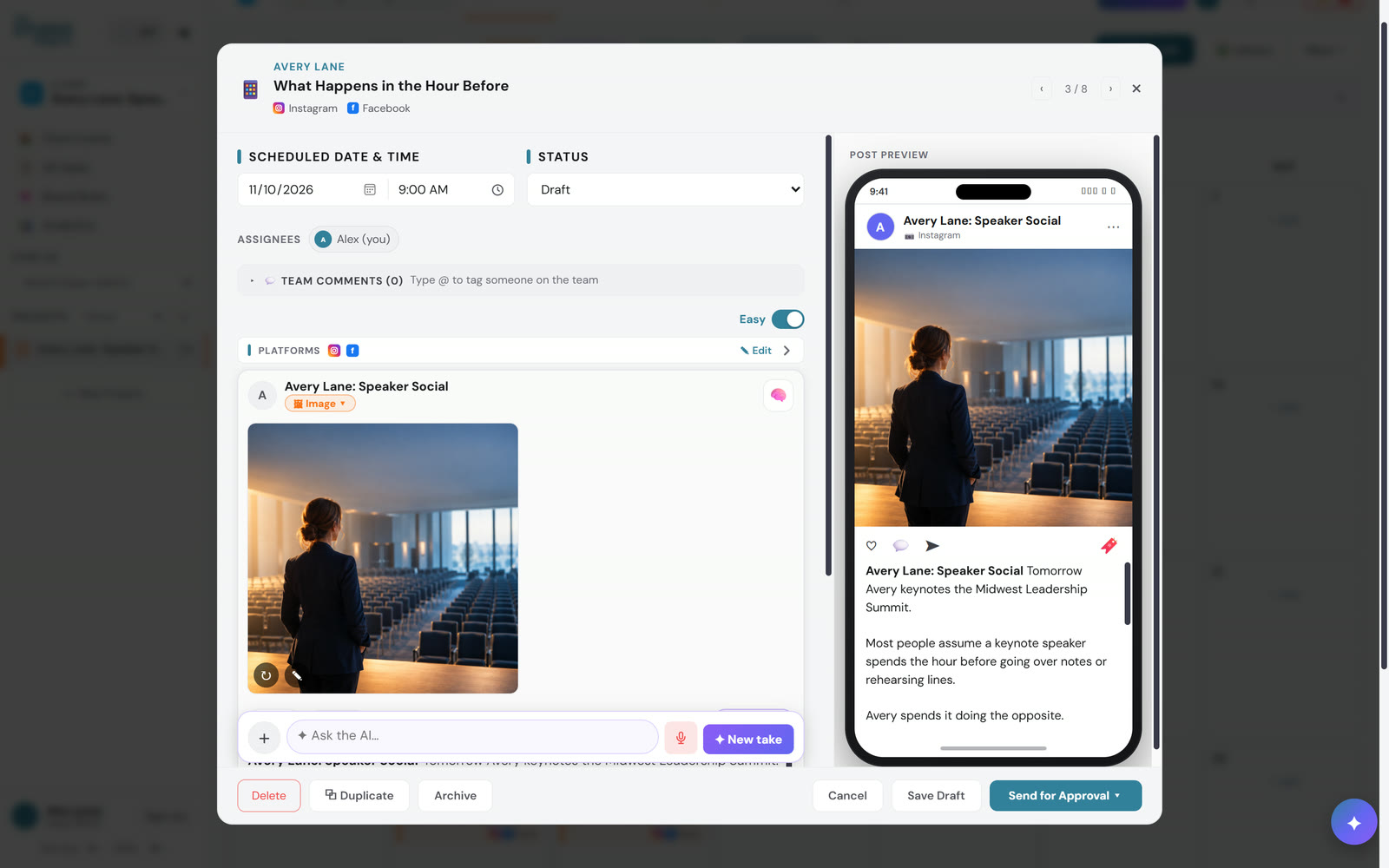
- Your real logo, the right version. It places your actual logo file, never a redrawn one, and picks the light or dark version for the corner it lands on.
- Your own photos, untouched. Ask for a collage and it builds one from your photo library, with a headline tile in your color and font. Nothing is redrawn.
- Infographics from the facts. One tap lays a post out as a branded infographic, using only the facts in the post.
- Pictures that move. Turn any picture into a short clip, 16:9 or 9:16, and post it as a video.
It gets sharper every month
Most AI tools forget you the moment the chat closes. The Brand Brain keeps learning, and you can see everything it learned.
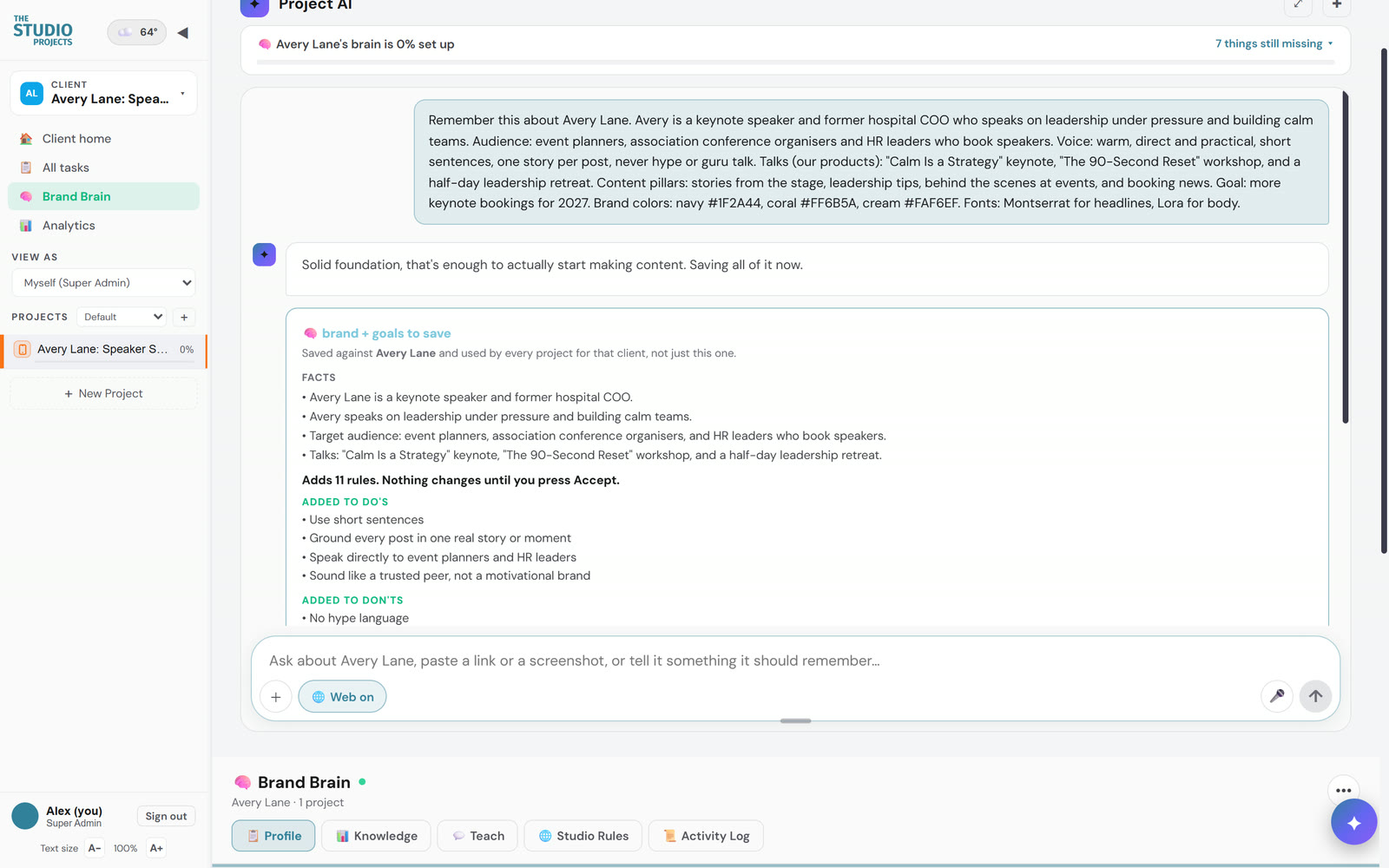
- From your edits. A thumbs up or down on a post teaches it, and when you keep asking for the same change to pictures, it turns that into a preference every picture follows.
- From your sales. Best sellers come from real paid orders, so posts lean on what actually sells.
- From your emails. Open and click results come in every day, and it learns which subject lines and openings work for you.
- From your website numbers. Google searches you are close to winning become a short to-do list for next month.
Approval without the email chain
- One link, no login. Clients see each post exactly as it will look and approve it or ask for a change in plain words. Approved means scheduled.
- Signed-in clients can fix a picture themselves. They say what to change and the AI changes only that, with two tries per picture.
- It checks the post went out. A daily check confirms every approved post really posted.
- Next month, drafted for you. Autopilot writes next month as drafts. It never schedules anything on its own.
Behind the calendar it is a full project app too: tasks and boards for every client, a video production suite from script to storyboard to client review, live event planning, photo galleries, and proposals with e-signatures.
Who it helps
- Owners who post when they remember. A whole month planned in one sitting means your brand shows up every week, even in the busy ones, and it still sounds like you.
- Small teams and assistants. Whoever drafts, the owner approves from one link. No more screenshots in a group text and nobody guessing what was approved.
- Agencies and freelancers. Every client has their own Brand Brain, so switching clients never means switching voices by accident, and approvals stop living in email threads.
- Brands without a designer. Every post gets a picture in your colors with your real logo, or a collage of your own photos, without opening a design app.
- Anyone who wants to know what worked. Results come back into the Brand Brain, so the next month is built on what your customers actually responded to.
How it compares
| Studio Projects | Buffer | Hootsuite | Asana | monday.com | ClickUp | |
|---|---|---|---|---|---|---|
| Starting price | $29 a month, flat | $5 per channel | $99 per user, billed yearly | $13.49 per user | $12 per seat, 3 seat minimum | $10 to $12 per user |
| Learns your brand from your website | Yes | No brand kit | Not listed | No | No | No |
| Plans and writes a month of posts | Yes, Fill Month | Not listed | Not listed | No | No | No |
| Makes pictures for posts | Yes, in your colors and logo | Not listed | AI images | No | No | No |
| Schedules social posts | Yes | Yes | Yes | No | No | No |
| Client approval links | Yes, on Pro and Agency | Team plan | Advanced plan, $399 | Not listed | Not listed | Proofing on Business |
| Projects, tasks and boards | Yes | No | No | Yes | Yes | Yes |
Cheapest paid plan on monthly billing, in US dollars, from each company's own pricing page on October 24, 2026. Hootsuite publishes only yearly-billed prices, and ClickUp's page showed two price layouts that day. "Not listed" means we could not find it on their site. Prices change often.
A team of two on Asana Starter plus Buffer's Team plan for three channels pays about $57 a month for two logins, and neither one learns your brand or writes the month. Studio Projects Pro is $79 for three people, with Fill Month, approvals and pictures included.
Plans and pricing
| Starter | Pro | Agency | |
|---|---|---|---|
| Monthly | $29 | $79 | $199 |
| Yearly (2 months free) | $290 | $790 | $1,990 |
| Best for | One brand posting on its own | A busy business, or a freelancer with a few clients | Agencies managing many brands |
| Brands | 1 | 3 | 10 |
| Social channels | 5 | 15 | 50 |
| Users | 1 | 3 | Unlimited |
| AI writing | Unlimited (fair use) | Unlimited (fair use) | Unlimited (fair use) |
| AI pictures a month | 60 | 200 | 600 |
| AI videos a month | 2 | 10 | 30 |
| Fill Month | - | Yes | Yes |
| Client approval links | - | Yes | Yes |
How to get started
- See your brand, free. Paste your website on the Studio Projects start page, exactly as in the recording above.
- Try the demo. The whole app with sample brands. Nothing is sent or posted.
- Request your invite. Access is by invitation for now, and Jeff Schniers replies personally to set up your Brand Brain and your first month with you.
Questions people ask
Is there a free trial?
There are two free ways in, and neither asks for a card: the brand preview on the start page, built from your website, and the demo. Paid plans start when your invite is set up.
Will it really sound like my brand?
It writes from your Brand Brain, which starts with your own website and keeps learning from your edits, your best sellers and your email results. You can read and change everything it knows.
Will it post anything without my approval?
No. Nothing is scheduled until someone approves it, and even the autopilot that drafts next month only writes drafts.
Which social channels can it post to?
Instagram, Facebook, LinkedIn, TikTok, YouTube, Google Business Profile, Pinterest and Threads, through the accounts we connect with you when your invite is set up.
What if I do not have a website yet?
Tell the Brand Brain about your business in plain words, or upload a document about it. It learns the same way and builds the month from that.